The best mechanical keyboards depend on the space you have, the switches you prefer, and whether you need wireless connections or programmable controls. These picks range from compact gaming boards to quieter, hot-swappable layouts, so you can match a keyboard to your desk and daily use.
Quick Top Products
SteelSeries Apex Pro TKL

- Set individual key actuation across 40 levels from 0.1 to 4.0 mm.
- Use a tenkeyless layout with full-size functionality.
- Connect another USB-powered device through the keyboard.
Best For: Competitive play where adjustable key response and a compact tenkeyless layout are priorities.

SteelSeries Apex Pro Mini
- Use a compact 60% form factor with full-size functionality.
- Adjust per-key actuation across 40 levels from 0.1 to 4.0 mm.
- Connect using detachable USB-C.
Best For: Players who want adjustable actuation and a small footprint with layered access to functions.
SteelSeries Apex Pro Gen 2

- Adjust each key across 40 actuation levels, from 0.1 to 4.0 mm.
- See game and app information on the OLED display.
- Connect an additional USB-powered device using passthrough.
Best For: Gamers who want adjustable actuation, a number pad, and an integrated display.
SOLAKAKA KI99 Pro Silent

- Connect by Bluetooth 5.0, 2.4 GHz, or Type-C.
- The 96% layout includes a control knob for volume, media, and lighting.
- Use quiet switches with a gasket structure and five noise-reducing layers.
Best For: Shared spaces or offices where a compact number-pad layout and quieter switches are useful.
SOLAKAKA A99 Pro LCD
- Switch among Bluetooth 5.0, 2.4 GHz, and USB-C connections.
- The LCD shows battery level, connected system, and connection mode.
- Hot-swap support makes it easy to replace switches and keycaps without soldering.
Best For: Users who want a compact number pad, multi-device wireless connections, and an onboard screen.
SOLAKAKA A99 Pro 97-Key
- The 97-key, 96% layout retains a numeric keypad and arrow keys.
- Connect through Bluetooth 5.0, 2.4 GHz, or USB-C.
- Replace compatible switches without soldering.
Best For: People who want a compact number pad and multi-device connections for work and play.
SOLAKAKA KI99 Pro 96%
- Use Bluetooth 5.0, 2.4 GHz wireless, or Type-C wired connections.
- The 96% layout integrates most traditional full-size functions.
- Its 10,000 mAh battery is designed to reduce charging frequency.
Best For: Work and gaming across devices where a number pad, wireless modes, and hot-swap customization matter.
SOLAKAKA A75 Crystal
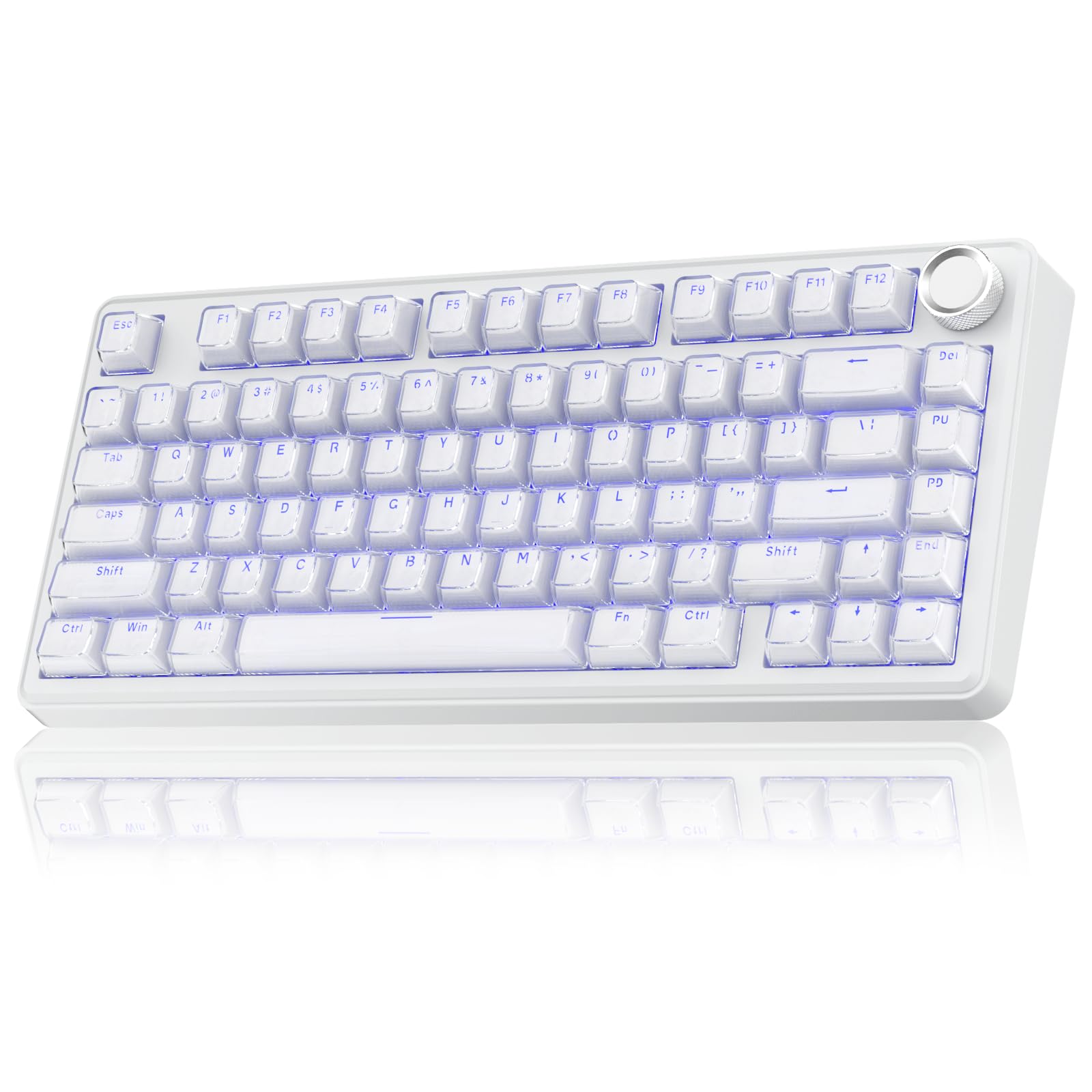
- Its 81-key, 75% layout retains essential arrow keys.
- Connect using Bluetooth 5.0, 2.4 GHz, or USB-C.
- The crystal keycaps use a transparent outer shell and ABS inner layer.
Best For: Users who want an 81-key compact wireless keyboard with a knob and translucent keycaps.
SOLAKAKA A75 Reaper
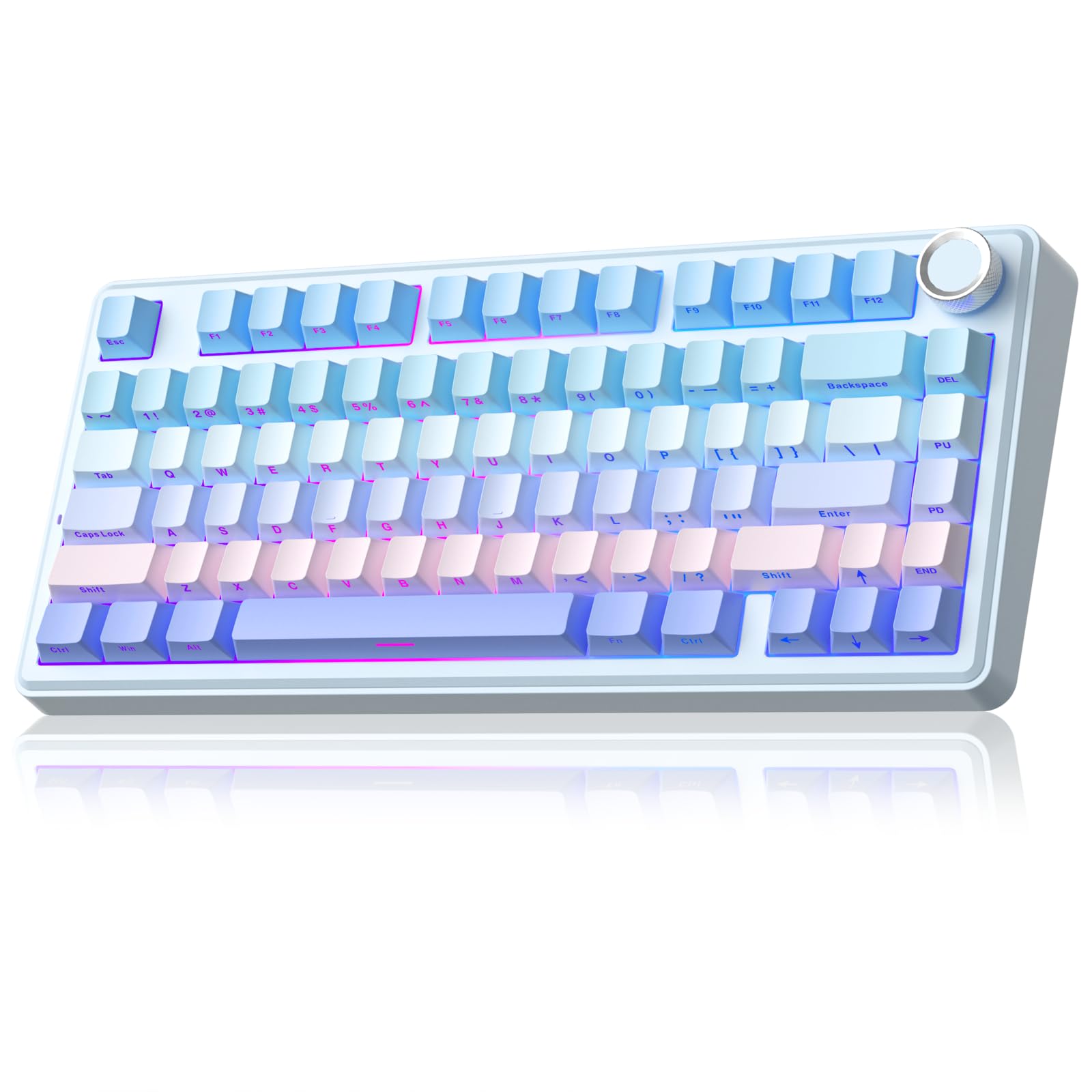
- Use an 81-key 75% layout that retains essential arrow keys.
- The board supports Bluetooth 5.0, 2.4 GHz, and USB-C.
- Hot-swap compatible switches without soldering.
Best For: Compact keyboard users who want programmable lighting and keys, hot-swap support, and a control knob.
SOLAKAKA A75 PBT
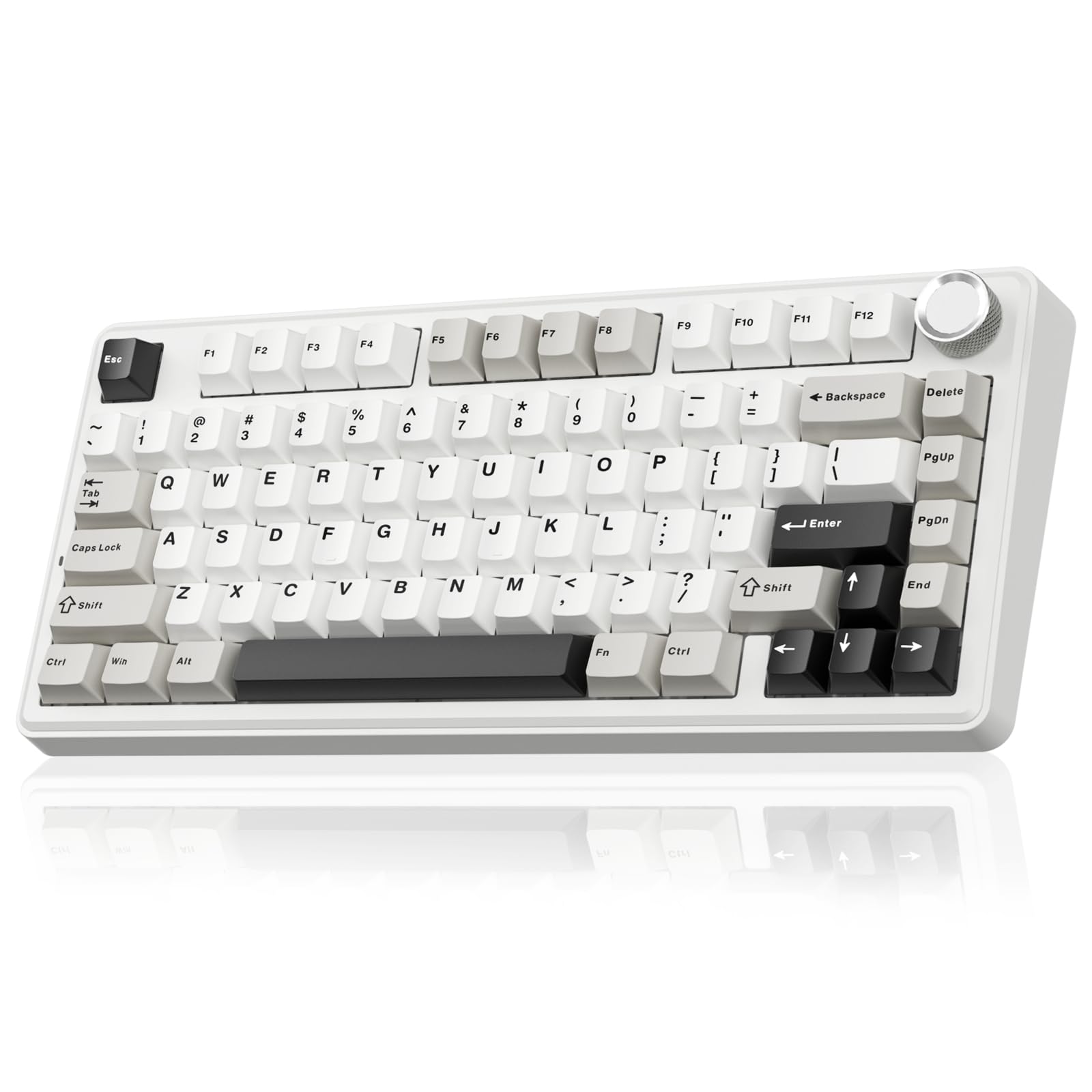
- The 81-key 75% layout retains essential gaming arrow keys.
- It supports 2.4 GHz, Bluetooth 5.0, and USB-C connections.
- Double-injection PBT keycaps and a 4,000 mAh battery are included.
Best For: Compact wireless typing with PBT keycaps, hot-swap switches, and a dedicated knob.
Adjustable Actuation in a TKL Layout
SteelSeries Apex Pro TKL HyperMagnetic Gaming Keyboard - Adjustable Actuation - Esports Tenkeyless - OLED Screen - RGB - PBT Keycaps - USB-C
The SteelSeries Apex Pro TKL pairs OmniPoint 2.0 adjustable switches with a tenkeyless layout that leaves more desk space than a full-size board. Its per-key actuation settings range from 0.1 to 4.0 mm, and Rapid Trigger changes activation based on key travel distance.
You can also assign two actions to one key, useful for different press depths in supported games. An OLED display, USB passthrough, and detachable USB-C add convenience, while the aluminum top plate gives it a solid-feeling construction.
It is a wired gaming-focused choice; choose it when fine control matters more than wireless use or a number pad.
Best For: Competitive play where adjustable key response and a compact tenkeyless layout are priorities.
| Pros | Cons |
|---|---|
|
|
Choose this Apex Pro if per-key tuning and game-focused features are more important than wireless connectivity. Its TKL layout retains full-size functionality while giving up the number pad, so check whether your work depends on frequent numeric entry.
The adjustable actuation range and dual-action keys are its defining features; if you want a more conventional board with fewer controls to configure, another pick may suit you better. It connects through detachable USB-C and also offers a passthrough port.
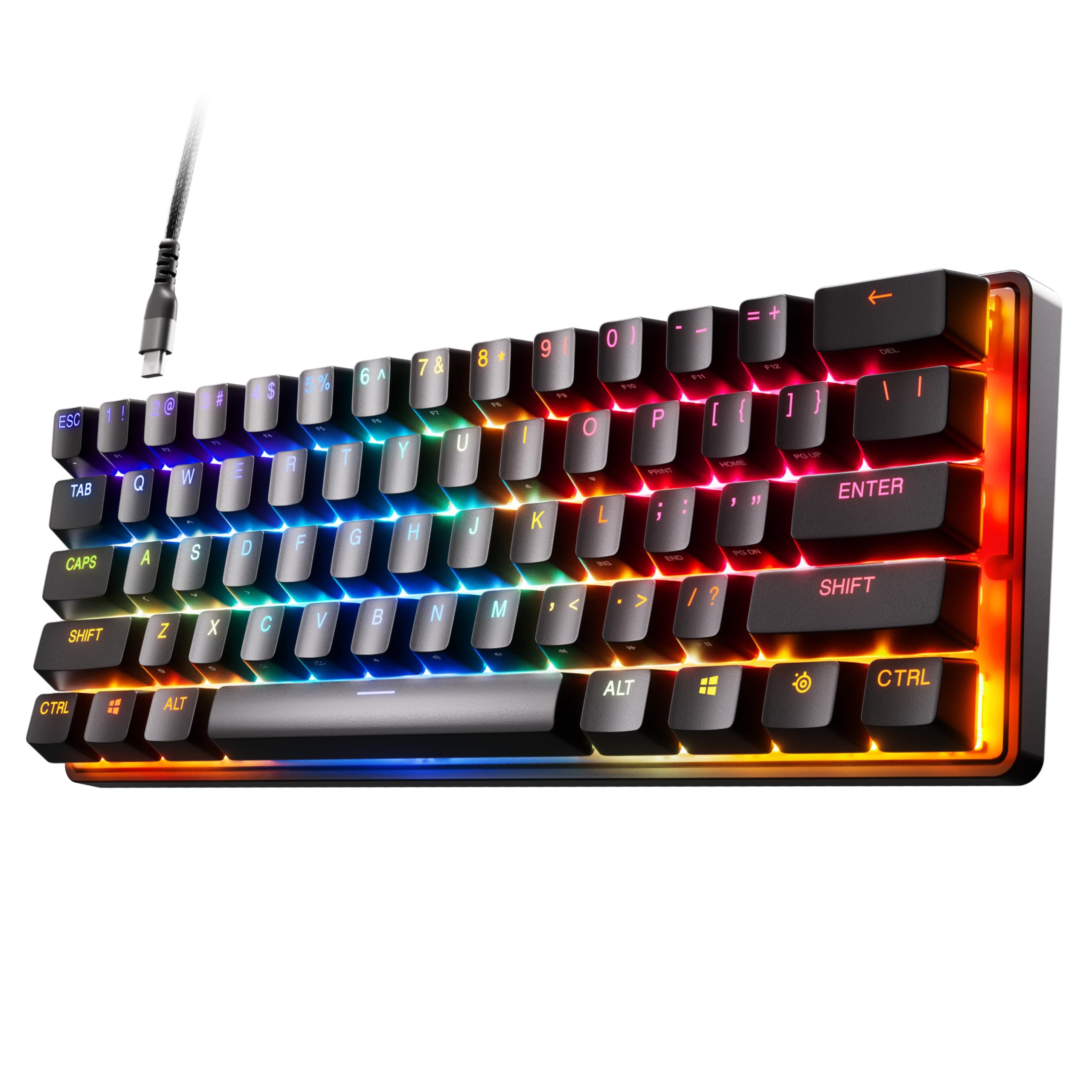
Compact 60% Adjustable Gaming Board
SteelSeries Apex Pro Mini HyperMagnetic Gaming Keyboard – Adjustable Actuation – Compact 60% Form Factor – RGB – PBT Keycaps – USB-C
This wired Apex Pro Mini uses a 60% form factor and adjustable OmniPoint 2.0 switches. Each key can be set across 40 actuation levels from 0.1 to 4.0 mm, and Rapid Trigger responds to key travel distance rather than a fixed point.
Its compact layout saves desk space, while the title notes full-size functionality through the smaller board. It has PBT keycaps, an aluminum top plate, RGB lighting, and detachable USB-C.
The reduced physical layout calls for comfort with function layers and shortcuts; the listing does not specify which secondary-key combinations are used for every full-size function.
Best For: Players who want adjustable actuation and a small footprint with layered access to functions.
| Pros | Cons |
|---|---|
|
|
This model fits a gaming desk where a small footprint and configurable actuation take priority. It keeps the Apex Pro adjustment approach in a 60% layout, but the compact arrangement means checking how you will access navigation and other secondary functions before buying.
It is wired through detachable USB-C, so it is a less suitable match if you need wireless connections. Choose it when the desk-space savings are worth adapting to a more compact key arrangement.
Full-Size Board with OLED and Adjustable Switches
SteelSeries Apex Pro HyperMagnetic Gaming Keyboard — Adjustable Actuation — OLED Screen — RGB – USB Passthrough
The full-size Apex Pro Gen 2 brings OmniPoint 2.0 adjustable switches, an OLED display, and USB passthrough into a conventional layout. Its per-key actuation range runs from 0.1 to 4.0 mm across 40 levels, and Rapid Trigger adjusts activation and deactivation based on travel distance.
You can assign two actions to one key, such as separate responses for light and deep presses. The display shows information from games and apps alongside a clickable metal roller and media key.
This wired choice suits players who want fine key control but still use a number pad; it takes more desk space than the TKL and Mini alternatives.
Best For: Gamers who want adjustable actuation, a number pad, and an integrated display.
| Pros | Cons |
|---|---|
|
|
Pick the full-size Apex Pro if you use a number pad and want its adjustable switches, OLED display, and passthrough together. Its larger layout is the tradeoff for retaining dedicated keys that compact boards omit.
The per-key actuation settings and dual-action programming may be useful for games with different input needs, while the clickable roller and display support quick control and glanceable information. Confirm that you have enough desk room and prefer a wired connection before choosing it.
Quieter Wireless 96% Layout
SOLAKAKA KI99 Pro Wireless Mechanical Keyboard with Quiet Switch, Hot Swappable Pre-Lubed Switches with RGB Backlit, Gasket Structure Computer Gaming Keyboard (BlackBlue, Silent Switch)
The KI99 Pro Silent combines a 96% layout with wireless or wired connections and switches identified as quiet. Its gasket structure and five noise-reducing layers are designed to reduce typing noise, while the included control knob adjusts volume, media, and lighting brightness.
The keyboard supports Bluetooth 5.0, 2.4 GHz, and Type-C, and has a 10,000 mAh battery. Full hot-swap support lets you replace compatible 3- or 5-pin switches without soldering.
PBT keycaps, RGB lighting, and customizable software round out the feature set. It retains a number pad in a more compact footprint, though exact dimensions are not specified.
Best For: Shared spaces or offices where a compact number-pad layout and quieter switches are useful.
| Pros | Cons |
|---|---|
|
|
Choose the KI99 Pro Silent when quieter switches and wireless flexibility matter alongside a number pad. It offers a 96% layout, multiple connection options, and a substantial stated battery capacity, but no runtime figure is provided, so usage time between charges remains unclear.
Its switches are hot-swappable, giving you a way to customize the feel later. If you want direct actuation adjustment for competitive gaming, the SteelSeries Apex Pro line offers that specific feature; the KI99 emphasizes quiet typing and wireless convenience instead.
Wireless Board with LCD Display
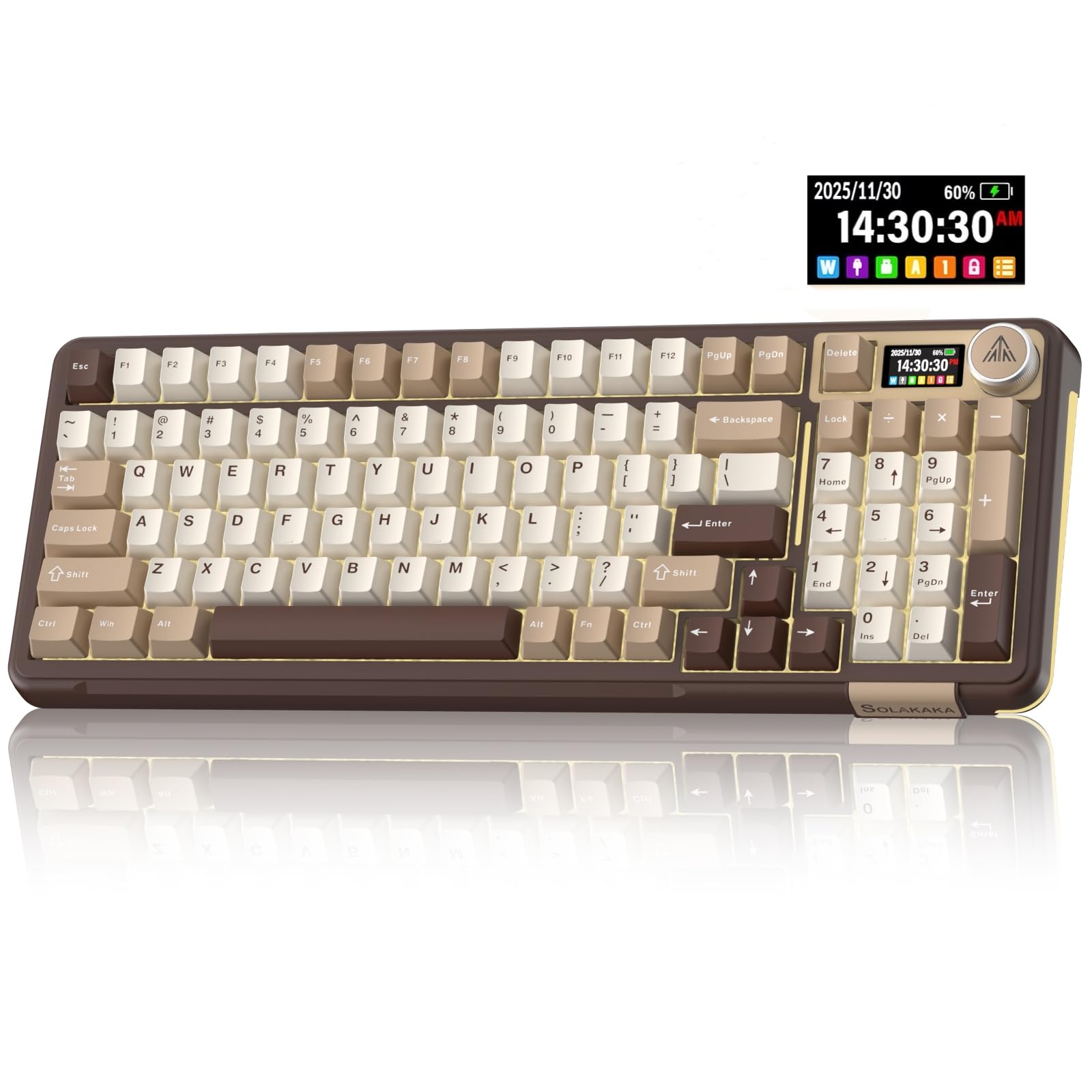
SOLAKAKA A99 Pro Mechanical Keyboard with LCD Screen & Metal Knob, Wireless Gaming Keyboard with BT5.0/2.4GHz/USB-C, Hot Swappable Creamy Keyboard, Gasket Structure, RGB Backlit, for Win/Mac
The SOLAKAKA A99 Pro LCD is a wireless mechanical keyboard with an LCD screen and metal knob. The display can show date, time, battery level, connected system, and connection mode, while the knob handles functions such as volume and lighting.
Tri-mode connectivity includes Bluetooth 5.0, 2.4 GHz, and USB-C, with support for saving up to five devices. Its gasket structure uses five cushioning layers, and full hot-swap support accommodates 3- and 5-pin switches without soldering.
RGB lighting includes side lights. This is a feature-rich compact board for switching among devices, though the record does not identify a numeric battery capacity or precise key count for this variant.
Best For: Users who want a compact number pad, multi-device wireless connections, and an onboard screen.
| Pros | Cons |
|---|---|
|
|
This A99 Pro suits someone who wants to move between a computer, tablet, or phone and values an LCD status screen. The screen and knob give it more onboard control than simpler compact boards, while tri-mode connectivity supports both wireless and wired setups.
Before buying, check the physical layout and battery details, since neither key count nor battery capacity is included here. Its hot-swap design is useful if you expect to experiment with compatible switches after purchase.
97-Key Wireless Board with Number Pad
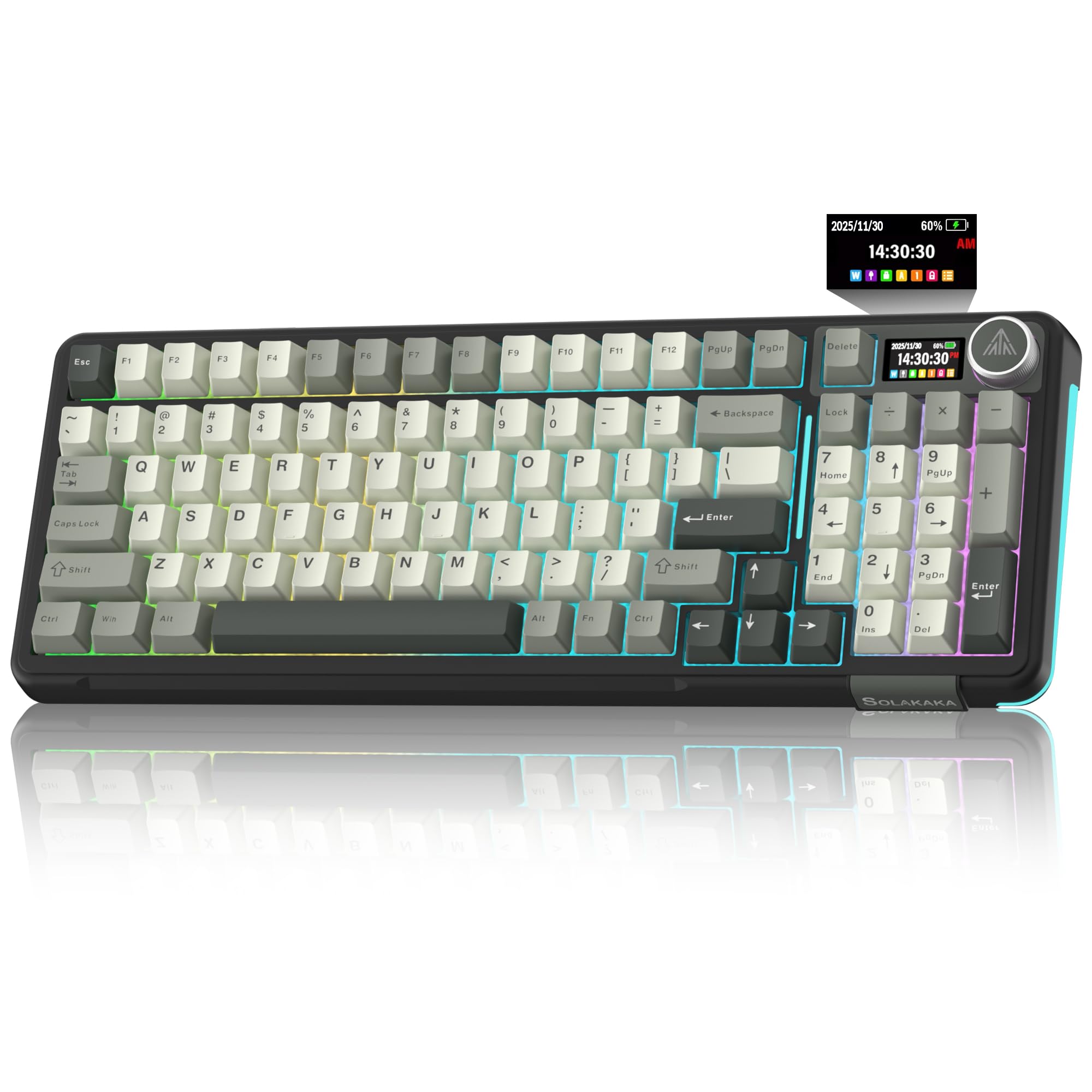
SOLAKAKA A99 Pro Wireless Mechanical Keyboard with LCD Screen & Metal Knob, 2.4GHz/BT5.0/USB-C, RGB Backlit Gaming Keyboard, Hot Swappable, Creamy Keyboard with Gasket Structure, for Win/Mac
This A99 Pro wireless mechanical keyboard pairs a 96% layout with 97 keys, keeping a numeric keypad, arrow keys, and essential function keys while saving space. It connects by Bluetooth 5.0, 2.4 GHz, or USB-C and supports up to five devices.
The LCD screen shows status such as battery level and connection mode, and the knob controls volume, lighting, and other settings. Five cushioning layers and a gasket structure support a softer typing feel, and the full hot-swap design accepts 3- or 5-pin switches.
It also has RGB lighting with side modes. Battery capacity and exterior dimensions are not given, so check those details if they affect your setup.
Best For: People who want a compact number pad and multi-device connections for work and play.
| Pros | Cons |
|---|---|
|
|
Choose this version if retaining a number pad is important but you still want a space-saving layout. Its 97 keys are specifically described as keeping the numeric keypad, arrows, and essential function keys, which makes it a clearer fit for office work than a smaller board.
Wireless tri-mode connections and support for multiple saved devices help when sharing the keyboard across systems. Compare its dimensions and battery details with your needs before buying, since those specifics are not provided.
96% Wireless Keyboard with 10,000 mAh Battery
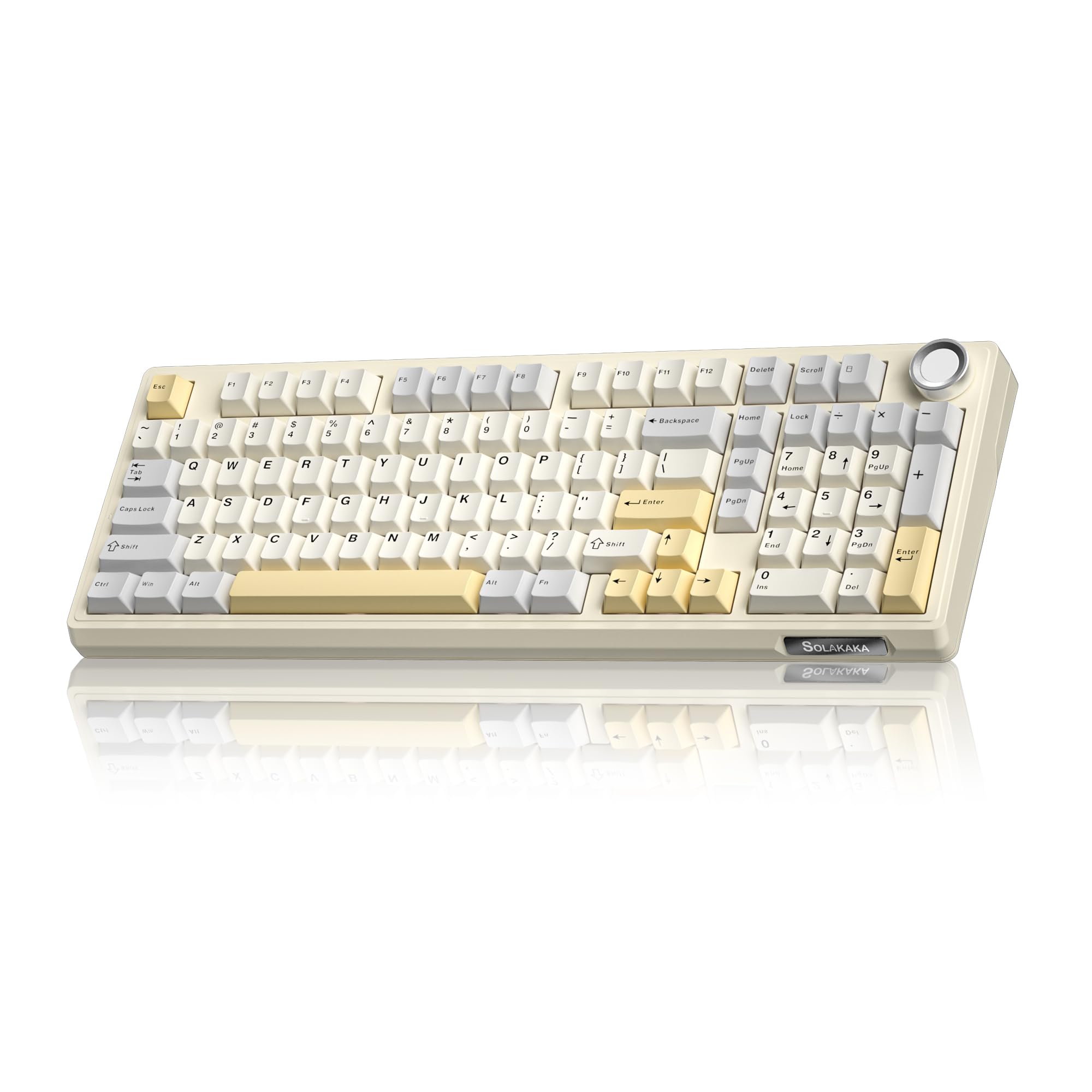
SOLAKAKA KI99 Pro 96% Wireless Gaming Keyboard, RGB Creamy Keyboardw with Knob, Hot-Swappable Pre-Lubed Switches, Gasket Structure Mechanical Keyboards (Beige-White, Non-Silent Version)
The KI99 Pro offers a 96% layout that incorporates most full-size functions while saving desk space, plus a knob for volume, media, and lighting brightness. It supports Bluetooth 5.0, 2.4 GHz wireless, and Type-C wired connections, and its 10,000 mAh battery reduces charging frequency according to the product notes.
A gasket structure and five noise-reducing layers aim for a smoother, quieter typing feel. The hot-swappable 1.2 mm flex-cut PCB accepts 3- or 5-pin switches, and the PBT keycaps are described as wear- and fade-resistant.
It also includes RGB lighting and driver software for key remapping and macros.
Best For: Work and gaming across devices where a number pad, wireless modes, and hot-swap customization matter.
| Pros | Cons |
|---|---|
|
|
This KI99 Pro is a practical fit for someone who wants a number pad, multiple connection modes, and switch customization. Its stated 10,000 mAh capacity is a useful distinction, but it does not establish a runtime, so consider how often you are comfortable charging.
The 96% layout saves space while retaining most full-size functions; check which keys remain dedicated if your workflow depends on particular shortcuts. The silent-switch variant may be a better match when quiet typing is the primary concern.
75% Layout with Crystal Keycaps
SOLAKAKA A75 Wireless Gaming Keyboard with Multifunction Knob, BT5.0/2.4GHz/USB-C, 75% Mechanical Keyboard, Hot-Swappable, Gasket Creamy Keyboard with RGB Backlit, Crystal Keycaps, for PC/Mac/PC
The A75 Crystal is an 81-key, 75% wireless mechanical keyboard that keeps arrow keys while trimming less-used keys to save desk space. It supports Bluetooth 5.0, 2.4 GHz, and USB-C connections, with support for up to five devices.
Hot-swap compatibility covers 3- and 5-pin switches, and the included pre-lubricated stabilizers and LEOBOG caramel latte switches are specified in the notes. Its crystal keycaps have a transparent outer shell and ABS inner layer, with backlit characters.
A multifunction knob changes modes, lighting, or volume depending on its use mode. The 4,000 mAh battery is stated, but runtime is not.
Best For: Users who want an 81-key compact wireless keyboard with a knob and translucent keycaps.
| Pros | Cons |
|---|---|
|
|
Pick this A75 if compact size and distinctive transparent keycaps appeal, and an 81-key layout fits your routines. It retains arrow keys but omits some dedicated keys, so check that you are comfortable using shortcuts for less-used functions.
Tri-mode connectivity and five-device support suit a mixed-device setup, while hot-swap support allows switch changes without soldering. The stated battery capacity is 4,000 mAh, but the record gives no runtime, so factor charging access into a wireless setup.
75% Board with Reaper Switches and Software
SOLAKAKA A75 Wireless Mechanical Keyboard, Hot Swappable Gaming Keyboard with RGB Backlit, Multifunction Knob, Gasket Mounted Creamy Keyboard, BT5.0/2.4GHz/USB-C, 75% Compact Layout for Win/Mac/PC
This 75% A75 is an 81-key wireless mechanical keyboard that retains arrow keys while saving desk space. It connects through Bluetooth 5.0, 2.4 GHz, or USB-C and can support up to five devices.
The hot-swap design works with 3- and 5-pin switches; the notes specify LEOBOG reaper switches and pre-lubricated stabilizers. Its control knob changes between gaming and office modes, then adjusts lighting or volume.
RGB lighting and programmable software provide additional customization, though the software is Windows-only and must run in wired mode. The notes do not specify battery capacity for this particular offer, so confirm that detail if cordless runtime matters.
Best For: Compact keyboard users who want programmable lighting and keys, hot-swap support, and a control knob.
| Pros | Cons |
|---|---|
|
|
This A75 suits users who want an adaptable compact layout and intend to customize keys or lighting in Windows. It has triple-mode connectivity and hot-swap support, but the software requirement matters: settings through the driver require Windows and wired operation.
Its knob offers quick lighting or volume changes, while the 81-key layout retains arrows. Check battery details and whether your system supports the customization workflow you want before choosing this version.
PBT Keycaps and 4,000 mAh Battery
SOLAKAKA A75 75% Wireless Mechanical Keyboard, Hot Swappable Gaming Keyboard with Multifunction Knob & RGB, Gasket Mounted Creamy Keyboard, PBT Keycaps, Compact Layout for Win/Mac/PC
This A75 keeps an 81-key 75% layout with arrow keys and a multifunction rotary knob. It connects through 2.4 GHz, Bluetooth 5.0, or USB-C and can connect to up to five devices.
Its hot-swap support accepts 3- and 5-pin switches, and the notes identify LEOBOG reaper switches with pre-lubricated stabilizers. Double-injection PBT keycaps are described as sweat-resistant and fade-resistant.
A 4,000 mAh battery is included, though usage time is not specified. Software supports key and lighting customization, with the stated limitation that it works only on Windows and should be run in wired mode.
Best For: Compact wireless typing with PBT keycaps, hot-swap switches, and a dedicated knob.
| Pros | Cons |
|---|---|
|
|
Choose this A75 variant if PBT keycaps and the stated 4,000 mAh battery are priorities in a compact wireless board. It shares the 81-key layout, tri-mode connections, and hot-swap capability of the other A75 options, so those factors do not distinguish it as strongly.
Its software is limited to Windows and wired mode, which is worth checking if you use another operating system or expect to configure settings wirelessly. Runtime is also not given.
How to Choose Mechanical Keyboards
How We Picked Mechanical Keyboards
These picks cover different mechanical keyboard priorities rather than repeating one layout. The selection includes adjustable-actuation gaming boards, compact 60% and 75% formats, number-pad 96% models, and a quieter wireless option.
Switch customization, connection modes, display and knob controls, keycap material, and layout details help distinguish their intended uses.
Several candidates shared a model and nearly identical feature sets, so the roundup keeps one representative per variant family where the use case overlaps. The A75 offers remain because their documented differences include crystal versus PBT keycaps, named switch versions, battery details, and software limitations.
Comparing Mechanical Keyboards by Layout and Controls
Layout shapes how a keyboard fits both a desk and a work routine. A full-size board keeps the number pad; TKL removes that section while retaining broad functionality.
The Apex Pro Mini is much smaller at 60%, while the SOLAKAKA A75 uses an 81-key 75% layout with arrow keys. The 96% SOLAKAKA boards preserve a number pad in a more compact arrangement.
For gaming control, the SteelSeries Apex Pro boards stand out for adjustable actuation, Rapid Trigger, and two-action keys. The SOLAKAKA options focus more on tri-mode connections, hot-swappable switches, and onboard controls.
The KI99 adds a 10,000 mAh battery, while the A99 versions include a screen and multifunction knob. The coordinator's comparison table follows this section.
| Product | Standout features | Best for |
|---|---|---|
| SteelSeries Apex Pro TKLCheck Price |
| Competitive play where adjustable key response and a compact tenkeyless layout are priorities. |
| SteelSeries Apex Pro MiniCheck Price |
| Players who want adjustable actuation and a small footprint with layered access to functions. |
| SteelSeries Apex Pro Gen 2Check Price |
| Gamers who want adjustable actuation, a number pad, and an integrated display. |
| SOLAKAKA KI99 Pro SilentCheck Price |
| Shared spaces or offices where a compact number-pad layout and quieter switches are useful. |
| SOLAKAKA A99 Pro LCDCheck Price |
| Users who want a compact number pad, multi-device wireless connections, and an onboard screen. |
| SOLAKAKA A99 Pro 97-KeyCheck Price |
| People who want a compact number pad and multi-device connections for work and play. |
| SOLAKAKA KI99 Pro 96%Check Price |
| Work and gaming across devices where a number pad, wireless modes, and hot-swap customization matter. |
| SOLAKAKA A75 CrystalCheck Price |
| Users who want an 81-key compact wireless keyboard with a knob and translucent keycaps. |
| SOLAKAKA A75 ReaperCheck Price |
| Compact keyboard users who want programmable lighting and keys, hot-swap support, and a control knob. |
| SOLAKAKA A75 PBTCheck Price |
| Compact wireless typing with PBT keycaps, hot-swap switches, and a dedicated knob. |
Choosing a Mechanical Keyboard for Work and Shared Spaces
For a mixed work and gaming desk, decide whether a dedicated number pad is essential. The A99 Pro 97-key model explicitly retains one along with arrow and function keys; the compact A75 models keep arrows but reduce the physical key count.
If you frequently enter numbers, a 96% board may require less adjustment than a 75% or 60% layout.
For shared rooms, the KI99 Pro Silent combines silent switches with five noise-reducing layers. The regular KI99 Pro versions also use a gasket structure and noise-reducing materials, but the silent variant is the most direct fit when switch noise is a priority.
Wireless users should compare connection modes and battery details: some candidates state a capacity, but none of those figures alone tells you how long the keyboard runs between charges.
Picking Switch Customization and Wireless Features
Hot-swap support is useful if you want to replace switches without soldering. The SOLAKAKA models specify compatibility with 3- and 5-pin switches; check that any replacements match the keyboard's supported format.
The SteelSeries Apex Pro models instead focus on changing actuation settings electronically, which is a different kind of customization.
Tri-mode boards can switch among Bluetooth, 2.4 GHz, and wired USB-C connections. That suits people moving between computers and mobile devices, while a wired model can be simpler for a fixed gaming setup.
Check operating-system compatibility for software controls: the A75 notes specify Windows-only driver software that must run in wired mode, while other models describe programmable software without the same limitation in the supplied details.
Who Should Buy Which Mechanical Keyboard?
Choose a SteelSeries Apex Pro if adjustable actuation and game-focused input controls are central to your setup. Pick the full-size version for its conventional layout, the TKL for a smaller footprint with broad functionality, or the Mini when desk space is scarce and a 60% layout suits you.
Choose the KI99 Pro Silent for a compact number-pad layout with quiet switches, or a regular KI99 Pro for similar connectivity and hot-swap options without the silent-switch distinction. The A99 Pro 97-key board suits users who want a screen, knob, wireless modes, and a number pad.
The A75 is a fit for those who prefer a smaller 81-key layout; select the crystal-keycap or PBT variant based on the included keycaps and stated details.