A thoughtful gaming gift can fit the way someone plays, the setup they are building, or the time they spend with friends. These picks range from focused desk accessories to gear for streaming and entertainment.
Use their current devices and gaming habits as your guide: a useful upgrade depends on how they play and what their setup can support.
10 Gift Ideas for Gamers, From Desk Upgrades to Game Night
SteelSeries Arctis Nova Pro Wireless Headset

- Connect two systems at once and toggle between compatible systems.
- Hot-swappable batteries keep a spare charging in the base station.
- Mix mobile calls or music with game audio over Bluetooth.
Best Gift For: A gamer who switches between compatible gaming systems and wants to mix mobile audio with play.

SteelSeries Apex Pro TKL Gaming Keyboard

- Adjust actuation across 40 per-key levels.
- Assign two actions to a single key for different press depths.
- The tenkeyless design has a detachable USB-C connection.
Best Gift For: A PC gamer who likes tailoring key response and setting different actions for individual keys.
SteelSeries Rival 5 Gaming Mouse

- Its layout includes nine programmable buttons.
- The optical sensor offers true 1-to-1 tracking.
- PrismSync RGB lighting adds color to a gaming desk.
Best Gift For: A player of fast-paced FPS, MOBA, MMO, or battle royale games who can use programmable controls.
FIFINE AmpliGame AM8 Gaming Microphone

- Connect by USB or XLR to compatible devices and audio equipment.
- The USB connection supports adjustable RGB lighting.
- A mute button and gain knob put audio adjustments on the microphone.
Best Gift For: A gamer who streams, records voiceovers, or chats from a white-themed desk setup.
HUANUO FlowLift Dual Monitor Stand

- Fits 13–32″ screens weighing 4.4 to 19.8 lbs, with 75x75mm or 100x100mm VESA mounting holes.
- The arms offer tilt, swivel, and rotation adjustments.
- Cable management guides wires along the arms.
Best Gift For: A gamer with two compatible monitors and a suitable wooden desk who wants more adjustable screen placement.
TP-Link Archer AXE75 WiFi 6E Router

- Tri-band WiFi 6E includes a 6 GHz band.
- The router supports a OneMesh network with a compatible extender.
- A modem is required for most internet service providers.
Best Gift For: A gamer looking to update a home network used for gaming, streaming, and other connected devices.
Audioengine A2+ Wireless Computer Speakers

- Compact powered speakers are designed for nearfield desktop listening.
- Connect wirelessly or use USB-C, RCA, or 3.5mm AUX inputs.
- Real wood cabinets are hand-finished.
Best Gift For: A gamer who enjoys game audio alongside music, calls, podcasts, or movies at a desk.
TMY 1080P Full HD Mini Projector with Screen
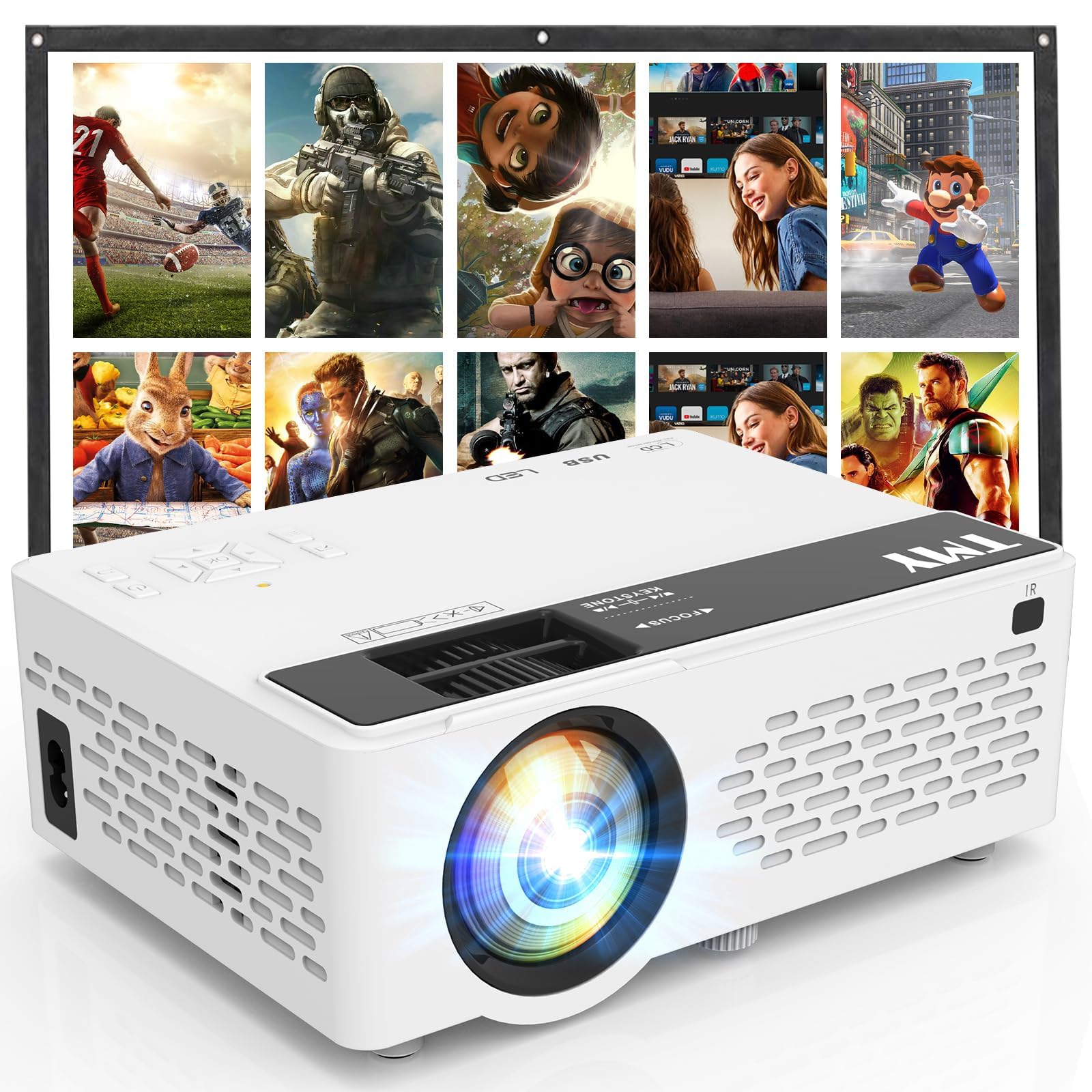
- An 80-inch foldable projection screen is included.
- Built-in HDMI and USB ports support connections to compatible devices.
- Bluetooth can connect external speakers or play audio from a phone or tablet.
Best Gift For: A gamer who likes connecting a console for big-screen play or gathering friends for movies.
SHOKZ OpenFit Open-Ear Bluetooth Earbuds

- The open-ear design lets the wearer stay connected with their surroundings.
- The earhooks use an ergonomic Ni-Ti alloy that contours to the ears.
- The charging case provides up to 28 hours of listening.
Best Gift For: A gamer who also listens to audio while commuting or working out and prefers an open-ear design.
SABRENT USB-C Hub and M.2 SSD Dock

- The hub has USB ports, power delivery, networking, and an M.2 slot.
- Its HDMI port supports an external display at up to 4K@60Hz on compatible devices.
- The M.2 slot supports SATA or NVMe SSDs in several form factors.
Best Gift For: A laptop or handheld-console gamer who wants extra connections and portable storage options.
Choosing Birthday Gifts for Gamers That Fit Their Setup
For birthday gifts for gamers, start with how the recipient actually plays: at a desk, on a couch, with friends, or between several devices. A peripheral that fits an existing routine usually gets more use than an ambitious upgrade that requires rebuilding the setup.
Notice the clues they leave in everyday conversation. Mention of crowded desk space could point toward a screen or connectivity upgrade; frequent streaming or voice chat may make audio gear more relevant.
If they already have favorite equipment, look for a complementary addition instead of guessing at a replacement.
Check what devices the gift needs to connect to before deciding. Console, PC, mobile, and handheld setups can use different ports and connection standards, so confirm compatibility with the recipient’s actual hardware.
For mounting gear, check both the desk and monitor requirements carefully.
When you cannot inspect the setup, choose something with a clear, flexible use or ask a friend or family member who knows the details. That small bit of context can make a technical gift feel personal and save the recipient from an awkward mismatch.
Balancing Budget and Practicality
Set a comfortable spending range before browsing. A modest accessory can feel thoughtful when it solves a daily annoyance, while a larger upgrade makes more sense when you know exactly what the recipient wants and the rest of their setup can support it.
Compare the whole setup cost, not just the main item. A screen mount may require compatible hardware and a suitable desk; network equipment may need other home internet equipment; a microphone connection may depend on existing audio gear.
Check actual prices and any accessories needed before choosing.
If you want birthday gifts for gamers with a practical feel, prioritize a feature that matches a real habit: mapped controls for someone who customizes inputs, desk audio for someone who listens while playing, or a portable connection option for someone who games away from a fixed setup.
A lower-cost pick can work well as a standalone gesture, while a bigger purchase benefits from a little coordination. For a group gift, agree on the model and intended setup first; for an individual present, include a gift receipt when available so the recipient has room to make a fit adjustment.
Make the Gift Feel Personal
Personalization can come from the note and presentation as much as from the hardware. Tie your message to a shared game night, a new streaming project, or the recipient’s carefully arranged desk.
This makes the gift feel chosen for them rather than picked from a generic gaming shelf.
For birthday gifts for gamers, pair a practical upgrade with a small plan: offer to help rearrange the desk, set up a movie night, or play a favorite co-op game together. Keep the plan easy to accept and focused on time together, not on expecting the recipient to install or use the gift immediately.
Presentation should suit the item and the person. A compact accessory can go in a themed card or a small box, while a large piece of equipment is easier to wrap in its shipping package with a note on top.
Avoid opening sealed electronics or attempting setup unless the recipient has asked.
A short handwritten message can also explain why you thought of them: perhaps you noticed their interest in streaming or their wish for a tidier play area. Leave room for their preferences and avoid framing the present as a fix for something they have not said bothers them.
Last-Minute Advice for Birthday Gifts for Gamers
For a late decision, narrow the shortlist to items you can verify against the recipient’s current devices and habits. Read the current product details for included accessories, connections, dimensions, and compatibility, then check the seller’s delivery estimate for the recipient’s location before ordering.
If delivery timing is uncertain, make the gift tangible without promising an arrival date. Give a printed note or card describing the planned present, or arrange a local gaming evening that day and let the physical gift follow when it arrives.
Be clear about what is ordered and what remains a plan.
Avoid a rushed choice that depends on unverified desk measurements, ports, or home network needs. A message to someone familiar with the setup can resolve those questions quickly; otherwise, choose an item with a use that is already evident from what the recipient owns.
For a last-minute physical presentation, keep the packaging intact, add a simple message, and check the delivery estimate again before committing. If the timing does not work, a thoughtful note with a specific plan can still mark the birthday warmly while leaving the recipient’s setup choices in their hands.