This HUANUO FlowLift single monitor arm review looks at a desk mount designed for 13 to 32 inch monitors and flexible screen positioning. It suits buyers whose display and desk fit its weight, VESA, and mounting requirements.
FlowLift Monitor Arm Review Summary
The quick verdict

16,000+ ratings
Read Amazon ReviewsHUANUO FlowLift Monitor Arm
A flexible desk mount for compatible monitors, with broad positioning and two mounting options for workspaces that suit its clamp or grommet base.
- Fits 13 to 32 inch monitors weighing 4.4 to 19.8 lbs.
- Supports 75x75mm and 100x100mm VESA patterns.
- Provides tilt from -50° to +85°, ±90° swivel, and 360° rotation.
- Raises the screen up to 39.6cm from the desktop with one hand.

Pros
- Wide tilt, swivel, and rotation options support flexible screen positioning.
- One-hand height adjustment can raise the display up to 39.6cm from the desktop.
Consider before buying
- The 4.4 to 19.8 lb weight range and 13 to 32 inch screen range rule out monitors outside those limits.
- Wood tabletops are recommended, and beams or panels underneath can interfere with installation.
Read the full review summary
The FlowLift combines wide angle adjustment with a choice of C-clamp or grommet mounting.
Its one-piece design is intended to simplify installation, while the arm lets you raise the screen up to 39.6cm from the desktop with one hand.
That makes it a practical candidate for a desk setup where monitor height and viewing angle need regular adjustment.
It is aimed at buyers with a compatible LCD monitor weighing 4.4 to 19.8 lbs and a 75x75mm or 100x100mm VESA pattern.
Check the desk surface and underside before buying: wood is recommended, and beams or panels below the mounting area can interfere with installation.
The buying factors
FlowLift Monitor Arm Scorecard
Editorial scores reflect listed features and buyer fit; they are not laboratory measurements or customer ratings.
Monitor compatibility
Covers 13 to 32 inch displays weighing 4.4 to 19.8 lbs, with two common VESA patterns. Buyers still need to verify all three fit conditions.
Positioning range
Offers tilt from -50° to +85°, ±90° swivel, and 360° rotation for substantial adjustment options.
Height adjustment
The screen can be lifted up to 39.6cm from the desktop with one hand, giving useful vertical positioning flexibility.
Mounting options
The choice of C-clamp or grommet mounting helps accommodate desks with a suitable edge or grommet opening.
Setup approach
A one-piece design and included necessary hardware are intended to keep assembly straightforward.
Desk fit conditions
The mount accommodates a tabletop thickness from 0.59" to 3.54", but a wood tabletop is recommended and underside obstructions can interfere.
Key Features and Specifications of FlowLift Monitor Arm
- Fits 13 to 32 inch monitors weighing 4.4 to 19.8 lbs.
- Supports 75x75mm and 100x100mm VESA patterns.
- Provides tilt from -50° to +85°, ±90° swivel, and 360° rotation.
- Raises the screen up to 39.6cm from the desktop with one hand.
- Offers C-clamp or grommet mounting; wood tabletops are recommended, with tabletop thickness and grommet mounting supported from 0.59" to 3.54".
- Uses a one-piece design and includes the necessary hardware.
Pros and Cons of FlowLift Monitor Arm
Pros
- Wide tilt, swivel, and rotation options support flexible screen positioning.
- One-hand height adjustment can raise the display up to 39.6cm from the desktop.
- Choice of C-clamp or grommet mounting accommodates different compatible desk setups.
- One-piece construction and included hardware are designed to simplify setup.
Consider before buying
- The 4.4 to 19.8 lb weight range and 13 to 32 inch screen range rule out monitors outside those limits.
- Wood tabletops are recommended, and beams or panels underneath can interfere with installation.
- For frequent repositioning, confirm that your desk edge or grommet location provides a workable attachment point before buying.
Who Should Buy FlowLift Monitor Arm?
Good fit
Choose the FlowLift if your monitor falls within its 13 to 32 inch and 4.4 to 19.8 lb ranges and uses a 75x75mm or 100x100mm VESA pattern.
Matching those requirements makes its broad tilt, swivel, rotation, and one-hand height adjustment relevant to a flexible desk setup.
It is also a fit for buyers who want to choose between clamp and grommet installation, and whose desk provides a compatible mounting area. The one-piece design and included hardware are intended to simplify assembly.
Who should skip it
Skip it if your monitor is outside the supported size or weight range, lacks either compatible VESA pattern, or needs a mounting arrangement unavailable at your desk.
The arm is a poor fit when a large beam or panel blocks the underside of the attachment area.
FlowLift Monitor Arm Review Analysis
Monitor and VESA compatibility
Start with the screen’s size, weight, and mounting pattern. This arm is intended for 13 to 32 inch monitors weighing 4.4 to 19.8 lbs, with 75x75mm or 100x100mm VESA patterns.
A mismatch on any one of those details can make the mount unsuitable, so check the display specifications before purchasing.
Positioning at the desk
The combination of tilt, swivel, and rotation gives several ways to orient a compatible display, while one-hand adjustment can raise it up to 39.6cm from the desktop.
Consider how much vertical reach your layout needs and whether the arm’s stated reach suits your workspace.
Desk installation
The C-clamp and grommet choices give installation flexibility, but desk construction still matters.
Wood is recommended, the underside should be clear of interfering beams or panels, and the stated thickness range is 0.59" to 3.54" for tabletop thickness and grommet mounting. Measure and inspect the intended spot first.
Installation expectations
The one-piece arm and included hardware are aimed at a simple setup, with the stated process involving attachment to the table, fastening the monitor to the VESA plate, and tension adjustment for monitor weight.
Plan to check the display balance after mounting and adjust tension as needed.
Alternatives to FlowLift Monitor Arm
Computer Monitor Arms alternative
4,000+ ratings
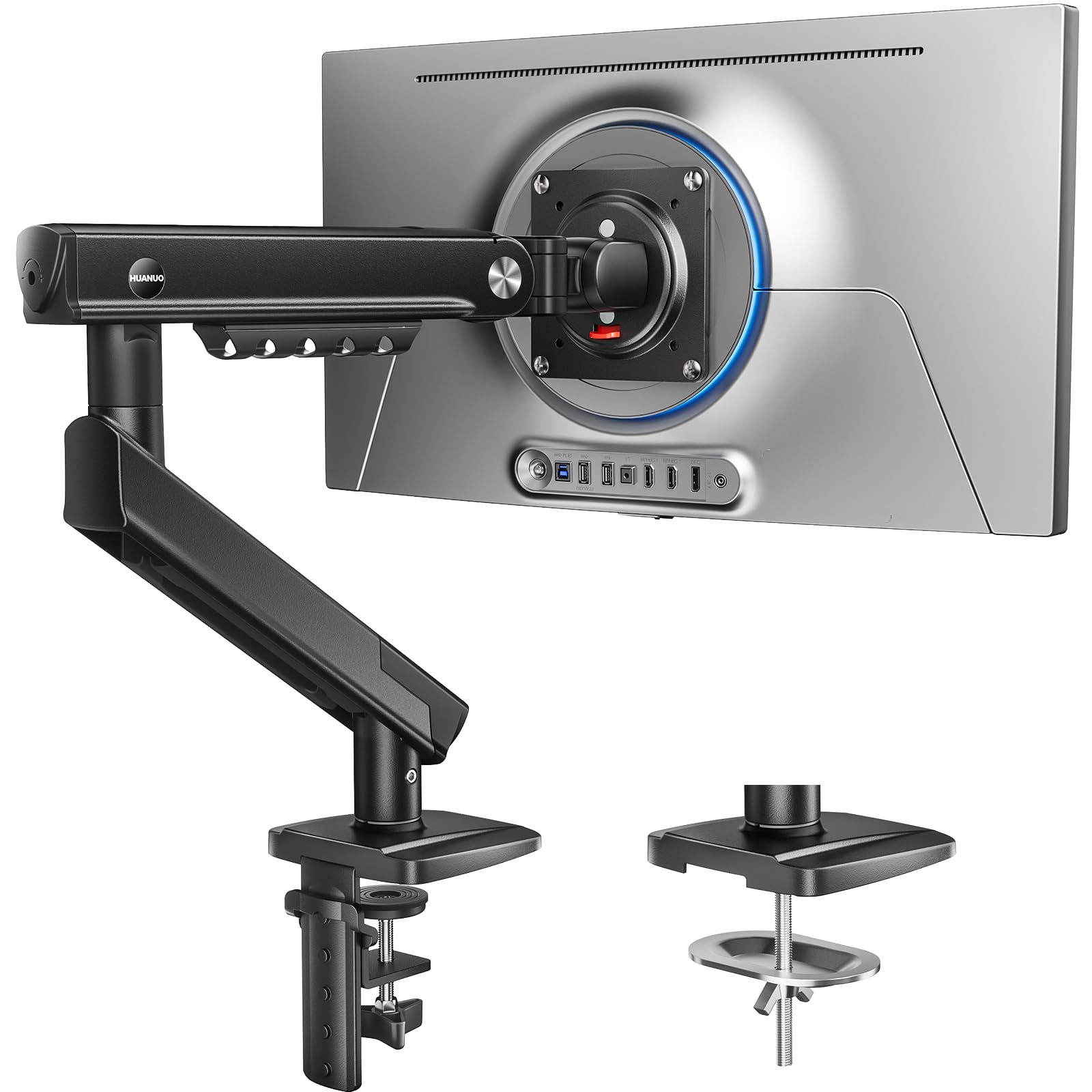
Read Amazon ReviewsHUANUO FlowLift Pro Monitor Arm
Choose FlowLift Pro if the MechaSpring design and snap-in VESA plate suit your setup; choose FlowLift for its one-piece installation approach and one-hand height adjustment.
Both support 13 to 32 inch screens up to 19.8 lbs, so match the mount to your monitor and preferred installation style.
- The FlowLift Pro pairs a MechaSpring arm with a quick-release VESA plate that snaps the monitor into place.
- It supports screens from 13 to 32 inches and monitors weighing between 4.4 and 19.8 lbs.
- The FlowLift supports 13 to 32 inch monitors weighing 4.4 to 19.8 lbs and raises the screen up to 39.6cm from the desktop with one hand.
- Its one-piece design is intended to simplify installation.
Computer Monitor Arms alternative
400+ ratings
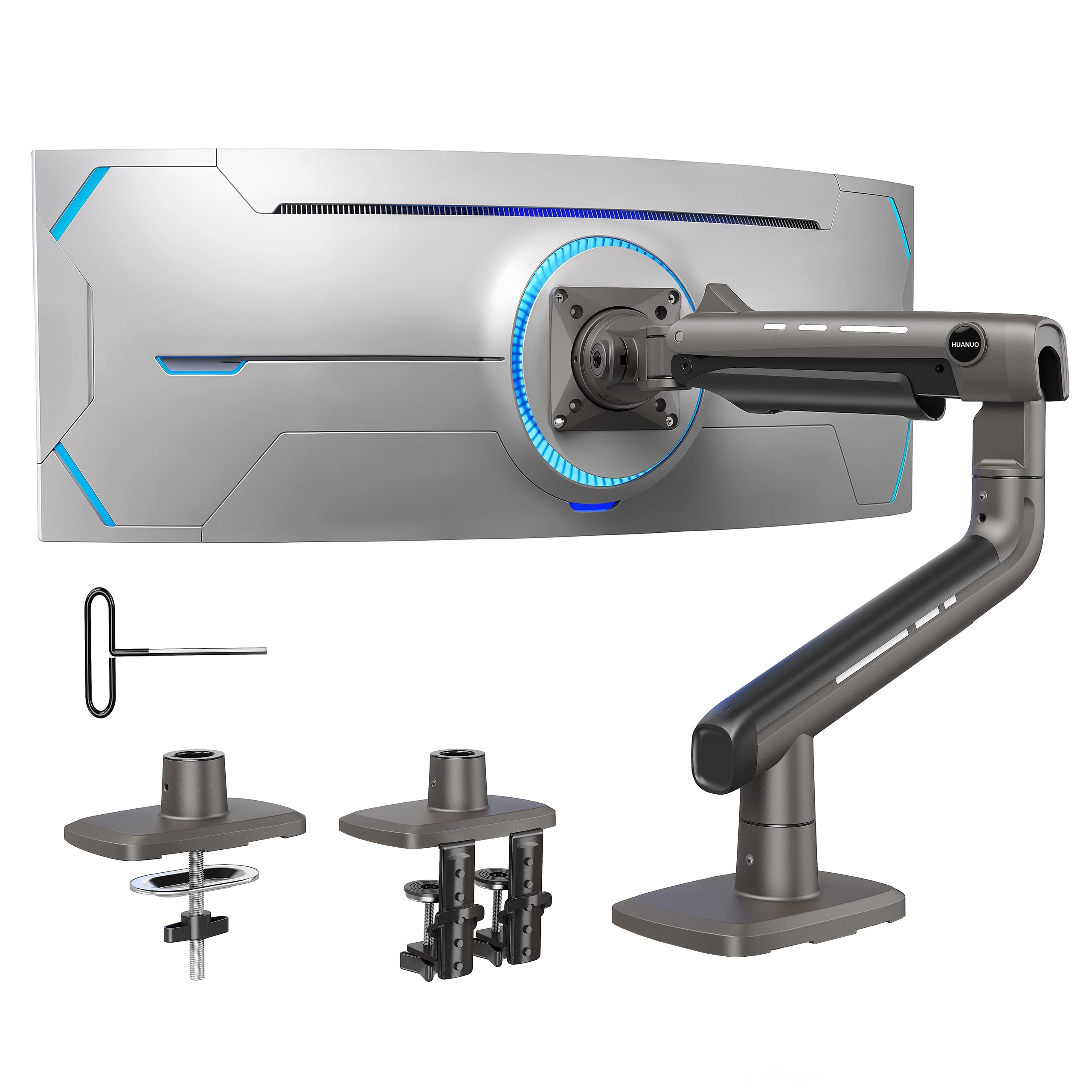
Read Amazon ReviewsHUANUO TitanLift Heavy Duty Monitor Arm
Choose TitanLift for a compatible ultrawide or heavier screen within its 17 to 49 inch and 6.6 to 44 lb ranges; choose FlowLift for a compatible screen within its 13 to 32 inch and 4.4 to 19.8 lb ranges.
TitanLift extends up to 22.5 inches, while FlowLift can lift the screen up to 39.6 cm from the desktop, so consider the reach your desk layout needs.
- TitanLift is sized for screens from 17 to 49 inches and 6.6 to 44 lbs, and its arm extends up to 22.5 inches.
- Its range is intended for larger or heavier display setups.
- The FlowLift is built around 13 to 32 inch monitors weighing 4.4 to 19.8 lbs, and can raise the screen up to 39.6cm from the desktop.
Is FlowLift Monitor Arm Worth It?
The HUANUO FlowLift Monitor Arm is worth considering if your monitor fits its 13 to 32 inch size range, 4.4 to 19.8 lb load range, and supported VESA pattern.
Its adjustment range, one-hand height movement, and C-clamp or grommet mounting offer useful flexibility for a compatible desk setup.
Before buying, verify the desk can take the selected mount and has clear space underneath.
Its size and load limits exclude larger or heavier screens, and a desk that conflicts with the recommended wood surface or mounting clearance may call for a different setup.
Your review at a glance
16,000+ ratings
Read Amazon ReviewsHUANUO FlowLift Monitor Arm
A flexible desk mount for compatible monitors, with broad positioning and two mounting options for workspaces that suit its clamp or grommet base.
- Fits 13 to 32 inch monitors weighing 4.4 to 19.8 lbs.
- Supports 75x75mm and 100x100mm VESA patterns.
- Provides tilt from -50° to +85°, ±90° swivel, and 360° rotation.
- Raises the screen up to 39.6cm from the desktop with one hand.