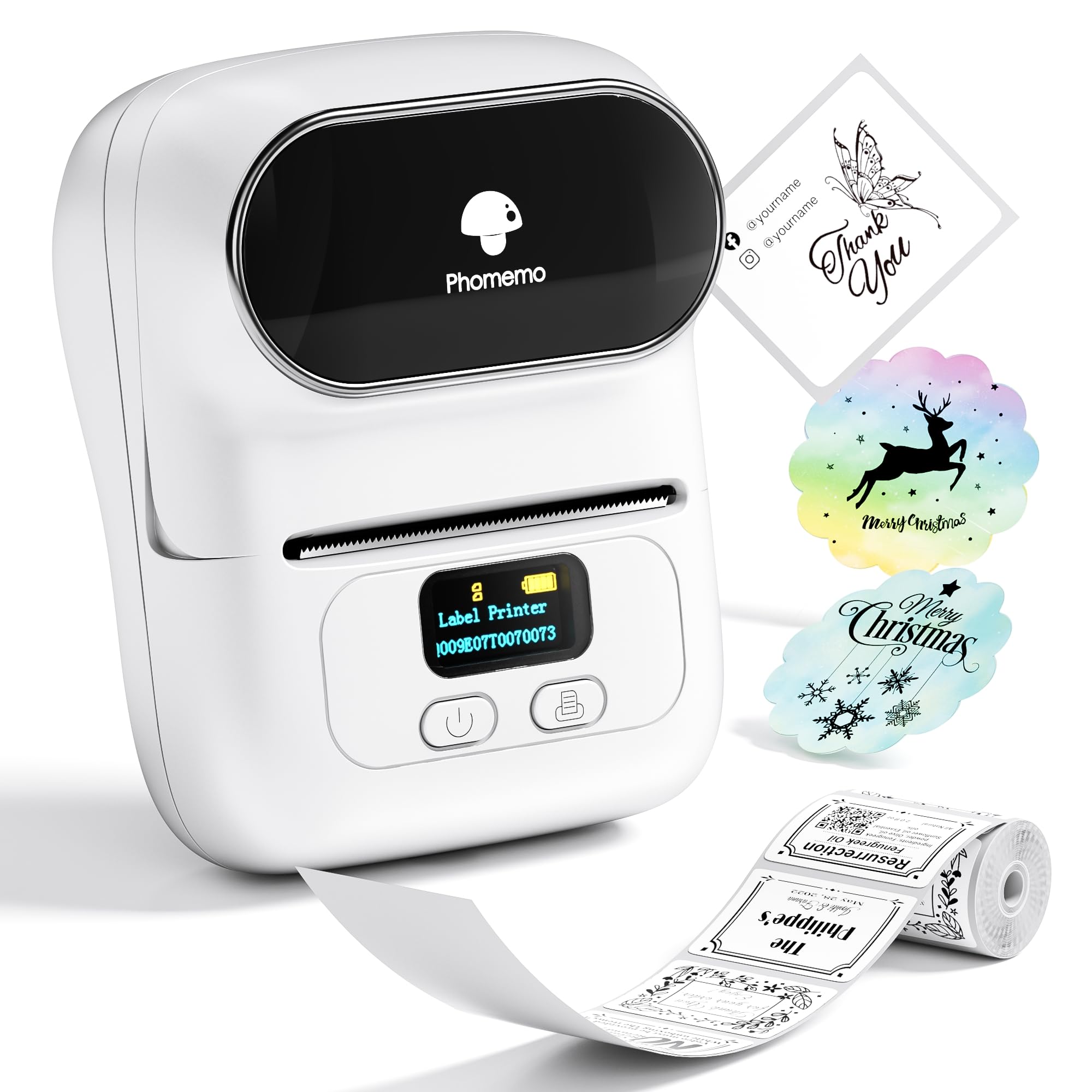
This Phomemo M110 review looks at a portable thermal label maker aimed at small-business labeling, including addresses, barcodes, cables, and retail items. Its appeal is the mix of Bluetooth printing, a broad label-width range, and computer-friendly batch work.
Phomemo M110 Review Summary
The quick verdict
6,000+ ratings
Read Amazon ReviewsPhomemo M110 Label Printer
A portable thermal label maker for small businesses and anyone who wants Bluetooth printing, flexible label widths, and Excel batch printing.
- Thermal black-and-white printing that does not require ink or ribbon.
- Supports label widths from 20mm to 50mm.
- Bluetooth 4.0 connection with a stated range of up to 33 feet.
- The app offers templates, custom template creation, and label editing.

Pros
- Works across a 20mm to 50mm label-width range.
- Thermal printing avoids ink and ribbon purchases for printing.
Consider before buying
- This printer is not for shipping labels, so buyers who need that format should choose another type of printer.
- Printing is black and white, which limits buyers who need labels printed in multiple ink colors.
Read the full review summary
Consider the M110 if you need a compact thermal printer for varied everyday business labels.
It supports label widths from 20mm to 50mm, Bluetooth connection, and uses thermal printing without ink or ribbon, making it a practical fit for barcode, cable, clothing, and retail labeling.
The strongest case is for users who want to create labels from a phone and handle repeat jobs from a computer.
Its app supports custom templates and Excel batch printing, while OCR can convert text in photos into editable text; those tools are useful when label creation is part of a recurring workflow.
The buying factors
Phomemo M110 Scorecard
Editorial scores reflect listed features and buyer fit; they are not laboratory measurements or customer ratings.
Label-width flexibility
The 20mm to 50mm range gives buyers room to choose different label widths for varied products and tasks.
Phone connectivity
Bluetooth pairing and one-click printing support a straightforward phone-based workflow.
Template and app tools
Free templates, custom layouts, and label editing give users several ways to prepare print jobs.
Batch-work support
Excel batch printing is useful when many labels share a repeatable process.
Text capture
OCR can turn text in images into editable text, which may reduce retyping when preparing labels from photographed material.
Print consumables
Thermal printing avoids the need for ink and ribbon, simplifying those consumables for routine black-and-white label work.
Key Features and Specifications of Phomemo M110
- Thermal black-and-white printing that does not require ink or ribbon.
- Supports label widths from 20mm to 50mm.
- Bluetooth 4.0 connection with a stated range of up to 33 feet.
- The app offers templates, custom template creation, and label editing.
- Excel batch printing supports repeat label jobs.
- OCR can recognize text in images for conversion to editable text.
- The adjustable paper holder is designed to help prevent jams and deviations.
Pros and Cons of Phomemo M110
Pros
- Works across a 20mm to 50mm label-width range.
- Thermal printing avoids ink and ribbon purchases for printing.
- Custom templates and Excel batch printing support repeat workflows.
- OCR provides a way to convert image text into editable text.
Consider before buying
- This printer is not for shipping labels, so buyers who need that format should choose another type of printer.
- Printing is black and white, which limits buyers who need labels printed in multiple ink colors.
Who Should Buy Phomemo M110?
Good fit
Choose the M110 if your small business needs barcode, cable, clothing, or retail labels and you want a portable thermal printer with flexible label widths.
Bluetooth pairing supports phone use, while Excel batch printing can help when you need to prepare labels in groups.
It also fits users who frequently make their own layouts or transfer text from images. The app supports custom templates and editing, and OCR converts text in photos into editable text for label preparation.
Who should skip it
Skip this model if shipping labels are central to your workflow; it is explicitly not intended for that task.
Look elsewhere if your labeling process requires color printing. The M110 prints in black and white, so it is best suited to workflows where monochrome output is acceptable.
Phomemo M110 Label Printer: Review Analysis
Label width and task fit
The 20mm to 50mm width range makes the M110 adaptable to different label sizes, while its stated uses include barcodes, cables, retail, and clothing.
That gives small businesses room to use one printer for several kinds of identification, provided their work does not require shipping labels.
Phone and computer workflow
Bluetooth pairing is suited to quick phone printing, and the app includes templates and editing tools for preparing layouts.
Excel batch printing extends the workflow to repeat jobs, so the M110 is relevant to buyers who regularly produce groups of similar labels.
Thermal output and upkeep
Black-and-white thermal output removes ink and ribbon from the routine consumables list. That suits text and identification labels, but the monochrome format is a real constraint for buyers who need color coding printed directly on each label.
OCR and label preparation
OCR can recognize text in an image and convert it to editable text, which may save retyping when the source material is a photo.
It is a workflow aid rather than a reason to assume that every image will convert perfectly, so buyers should allow time to review text before printing.
Alternatives to Phomemo M110
Desktop Label Printers alternative
8,000+ ratings
Read Amazon ReviewsNIIMBOT D101 Label Maker
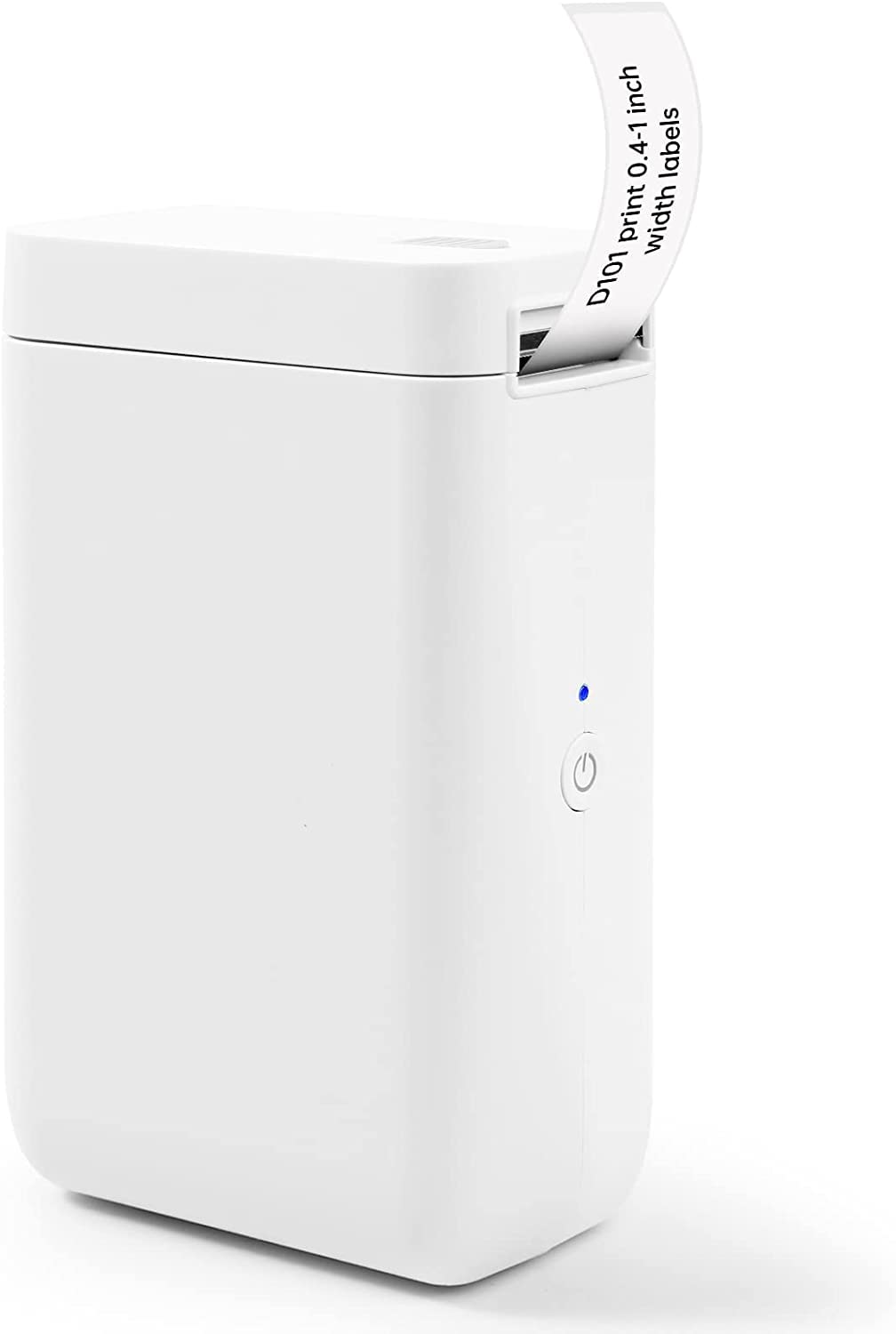
Choose the D101 if its two supported tape sizes and rechargeable use suit your routine; choose the M110 if you need its 20mm to 50mm width range, Excel batch printing, or OCR text conversion.
- The D101 supports both 0.5-inch and 1-inch label tapes and offers rechargeable use for up to two months on a charge, making it relevant for buyers who prefer a rechargeable label maker with those tape sizes.
- The M110 handles label widths from 20mm to 50mm and adds Excel batch printing and OCR text conversion, making it a stronger fit for varied small-business labeling workflows involving repeat jobs or image-sourced text.
Desktop Label Printers alternative
6,000+ ratings
Read Amazon ReviewsNIIMBOT D110 Label Maker Machine
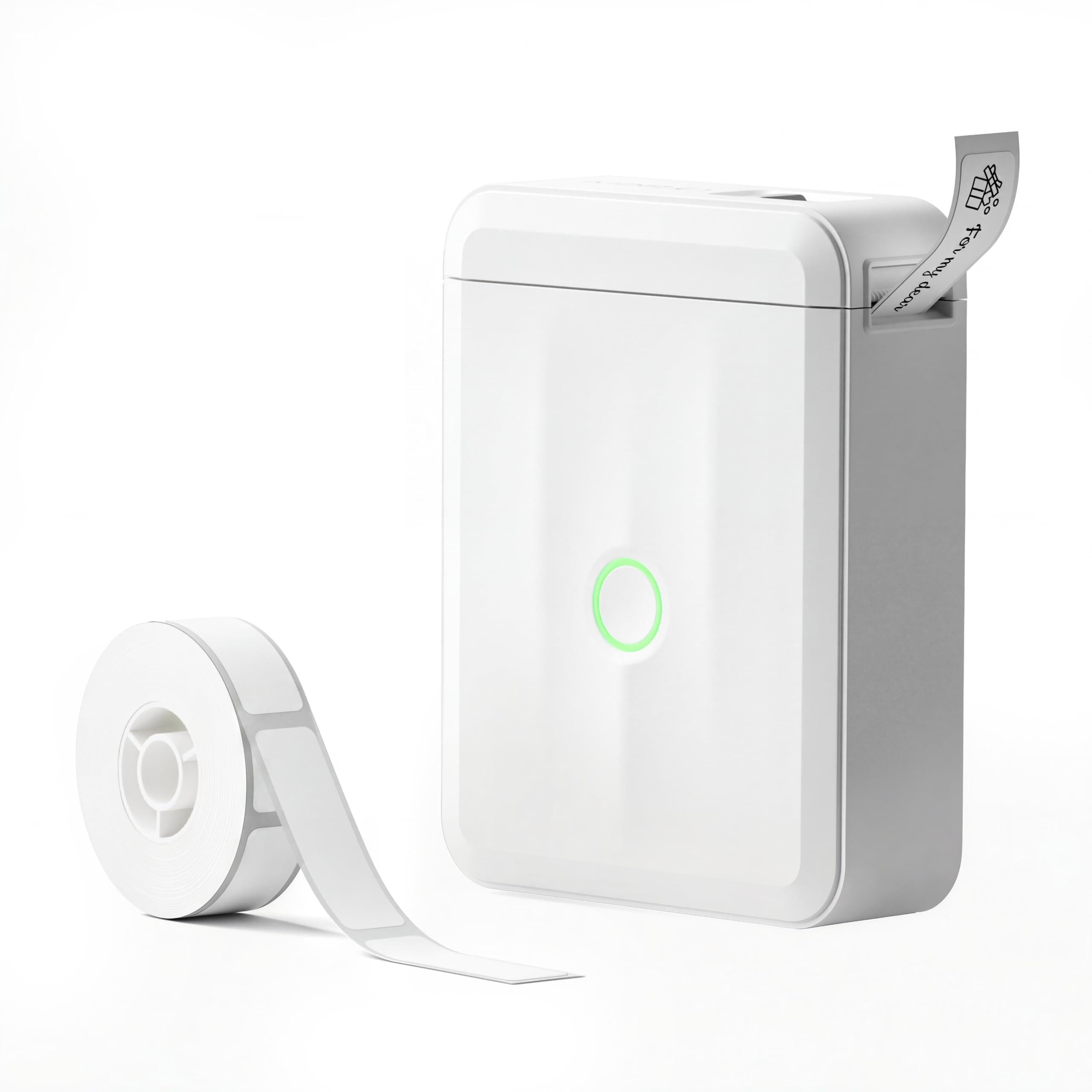
Choose the D110 for pocketable rechargeable phone-based labeling for home, school, or office organization; choose the M110 if you need a computer-oriented Excel batch workflow for small-business tasks.
- The D110 is designed for home, school, and office organization, with a pocketable rechargeable design and compatibility with iOS and Android smartphones; it does not work with computers.
- The M110 is positioned for small-business labels and supports Excel batch printing, providing a computer-oriented workflow for repeat jobs.
Is Phomemo M110 Worth It?
The Phomemo M110 Label Printer is worth considering for small businesses that want a portable thermal label maker with flexible widths, Bluetooth printing, and tools for repeat label jobs.
Its Excel batch support and OCR add useful preparation options beyond basic one-off labeling.
Its best fit depends on accepting black-and-white thermal output and avoiding shipping-label work.
If those limits match your workflow, the M110 combines flexible label widths with phone and computer-friendly preparation tools; if you need color printing or shipping labels, select a printer designed for those jobs.
Your review at a glance
6,000+ ratings
Read Amazon ReviewsPhomemo M110 Label Printer
A portable thermal label maker for small businesses and anyone who wants Bluetooth printing, flexible label widths, and Excel batch printing.
- Thermal black-and-white printing that does not require ink or ribbon.
- Supports label widths from 20mm to 50mm.
- Bluetooth 4.0 connection with a stated range of up to 33 feet.
- The app offers templates, custom template creation, and label editing.